
The full tour
Everything you need to ship studio‑quality product photos
One product photo in - on-brand studio photography out. Templates, a product-first editor, batch generation, 4K exports, and Refine to fix any photo or turn it into a short video, all in the browser.
- 4,000+
- templates
- 10
- aspect ratios
- 4K
- max export
- 50
- photos per batch


Drag to compare - example pair generated with the same engine that powers Lume.
4,000+ templates, designed like real shoots
Every template is a complete scene - backdrop, lighting, composition and styling - built for a specific product category. Pick one, drop your product in, and the shot comes back already art-directed.
Browse the whole catalog across seven dimensions:
Explore all backgrounds


Illustration of the editor's placement controls
An editor that thinks in products, not pixels
No masking, no layers. Place your product inside the scene's zones and direct the shot like a photographer would.
- Placement zones - move, scale and rotate your product; multi-product scenes support several zones at once, and empty zones keep the template’s own item as scene dressing or drop it, and you can change either with a tap.
- Size presets - from tiny accent to hero scale, one click sets how much of the frame your product owns.
- Lighting control - keep the template's lighting or override it to match your brand look.
- Format & resolution picker - choose aspect ratio and 1K / 2K / 4K output before you spend a credit.
Flat-lay to on-model - without booking a model
Apparel templates come with model scenes built in. Upload a flat-lay or mannequin shot, and the garment is worn naturally in the final photo - fabric, fit and color preserved.
Perfect for fashion listings that need lifestyle credibility without lifestyle budgets.


Every format your channels ask for
Ten aspect ratios across four kits - Square, Social, E-commerce and Ads - so the same shot works on your store, your feed and your campaigns. Templates always support their native ratio, and paid plans unlock the rest.
1K
1024 px · listings & social
1 credit
2K
2048 px · hero images
2 credits
4K
4096 px · print & campaigns
3 credits

Shoot the whole catalog, not one product at a time
Pick a template, queue up to 50 products and let batch generation photograph them all in the same scene - consistent lighting, scale and grade across every listing.
- Run up to 3 batches in parallel
- Track progress live, image by image
- Successful batch runs earn bonus credit protections
A product library that makes every shot smarter
Every upload is organized into a product automatically - with names, SKUs, tags and categories when you want them. Add reference views (angles, details, packaging) and Lume studies them together, so generations stay faithful to the real thing.
- Multiple reference images per product guide each render
- Merge duplicates, reorder views, set the primary shot
- JPG, PNG, WEBP, AVIF and HEIC uploads all welcome


Generate fearlessly
A gallery built for volume - and a safety net for the shots that miss.
Credit protection
Result not right? Within 30 minutes of generating, remove an un-downloaded image and get the credits back. Every paid plan includes a monthly allowance of protections, and batch runs earn extras. Protection covers image generation; Refine edits and videos are final.
Organized at scale
Group shots by product, favorite the keepers, and run bulk download / favorite / delete across whole selections. Originals stay available whenever you need them.
Refine Beta
Fix the photo, don't reshoot it
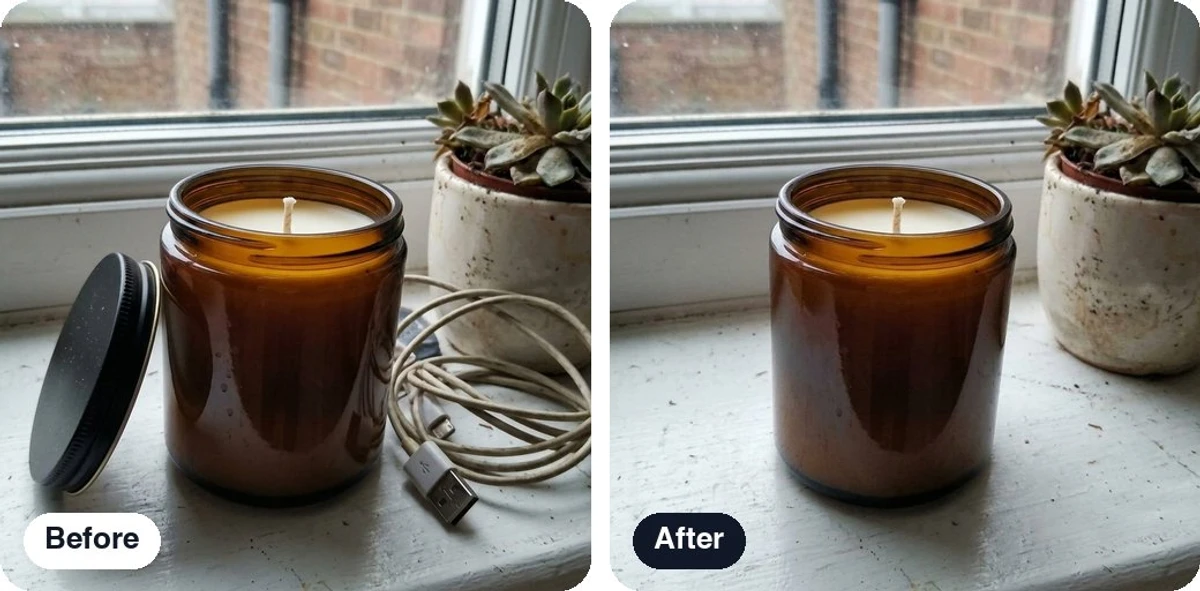
Open any photo, generated or uploaded, and change one thing at a time. Every result is saved as a new version of the same photo, so the original is never lost.
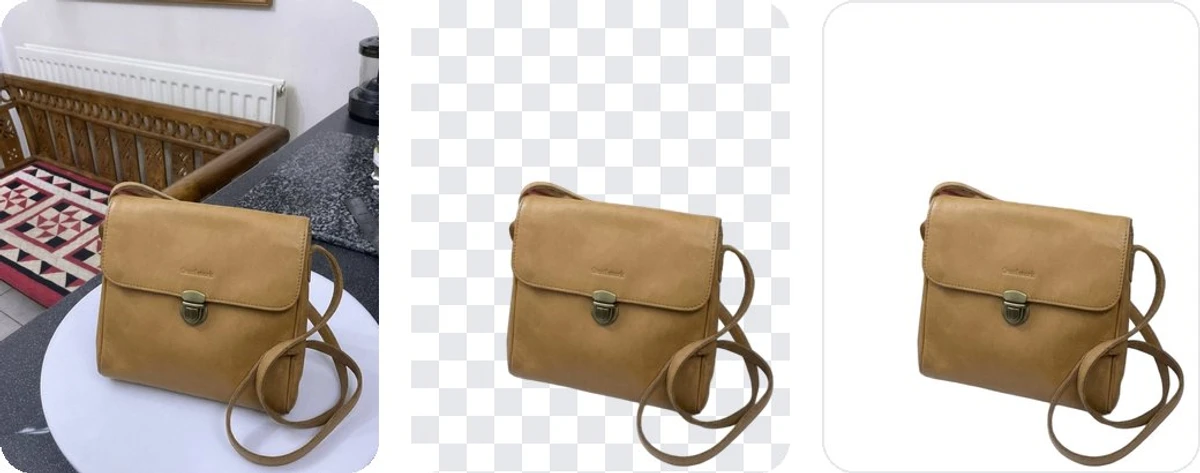
Free background removal, on every plan
Remove the background from a product photo or a generated image and keep it transparent, fill it pure white for marketplace main images, or pick any colour. It costs no credits: every plan has a daily allowance instead, from 2 removals a day on Free to 75 on Studio.
Every other fix, one credit at a time
- Erase an object, change the background, relight or recolor: 1 credit per edit at 1K
- Say the change in your own words with AI edit, and point at it with a box or a brush
- Expand the frame for a new format (from 1 credit), or crop and adjust for free
- Hold to see the original, step back through versions, download any of them or all at once
Animate - a product video from one photo
Pick a camera move and Lume turns a finished photo into a short clip with sound, wide for your store or vertical for Reels and TikTok. 720p on Pro, 1080p on Business, 4K on Growth and Studio. A six-second 720p clip is 13 credits.
How Animate works →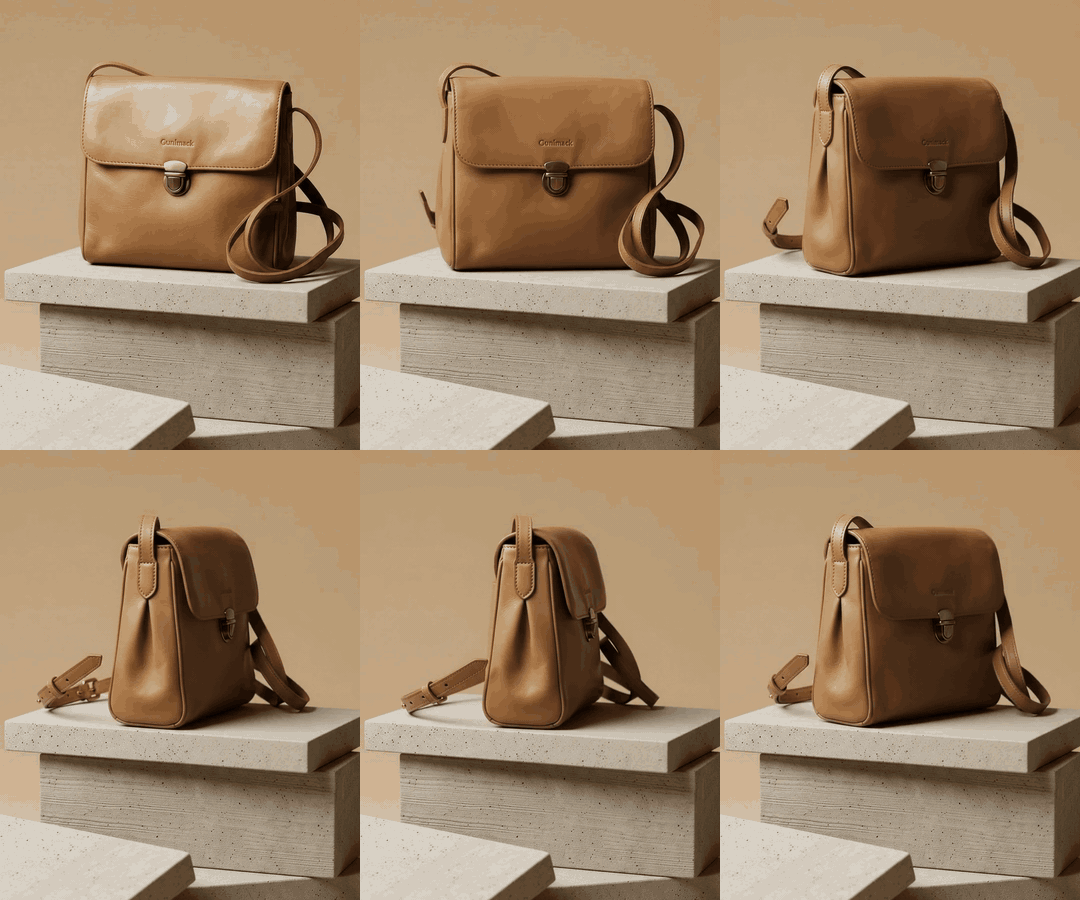
Remove background
FreeTransparent, white or any colour. A daily allowance on every plan.
Crop
FreeAny shape, instant, saved as a new version.
Adjust
FreeWarmth, tint, exposure, contrast and saturation.
AI edit
1 creditDescribe the change in your own words.
Erase
1 creditBox or brush an object and it is gone.
New background
1 creditA backdrop from the library, or describe one.
Relight
1 creditGolden hour, studio, window light and more.
Recolor
1 creditA new colour, same shape, same label.
Move
1 creditShift the product to a better spot.
Expand
From 1 creditGrow the scene for a new format.
Upscale
From 1 credit2K or 4K, Pro and up (4K from Business).
Animate
From 13 creditsA short clip with sound. Pro and up.
Credit prices are at 1K; 2K edits cost 2 credits and 4K edits 3, like any generation. Refine is in Beta on the web.
And everything around the photo
Commercial license included
Every image on every plan - including Free - is yours to use commercially.
Private by default
Uploads and results live behind signed, expiring URLs. Your catalog is never public.
Custom private templates
Turn your own photos into templates only your account can see - on every paid plan. Pro keeps 5, Business 15, Growth 50 and Studio 150.
Project folders
Keep campaigns and clients separated with folders on Business plans and above.
Credit top-ups
Busy month? Add one-time credit packs anytime - higher tiers buy them at a discount.
Fresh from the studio
The newest additions to your toolkit
Lume keeps shipping. Here's the latest wave - deeper control over every shot, and less wasted work between shoots.
Cast the model that fits your brand
On model templates, you direct the casting like a photographer would. Set the look shot by shot - so your imagery reflects your actual customers, not whoever the AI picked.
- Choose age and hair for every shot
- Skin tone selection built on the Monk Skin Tone scale
- Or simply describe the casting in your own words
- The garment stays pixel-true to your upload - fabric, fit and branding


Custom Templates - bring your own look
Found a product photo you wish you could shoot every product in? Upload it. Lume studies the scene - surface, lighting, props, camera - and rebuilds it as a template of your own, ready to reuse across your whole catalog. It is included on every paid plan, with no monthly limit on how many you build. Keep it private - 5 on Pro, 15 on Business, 50 on Growth, 150 on Studio - or publish it to the Shared library, which is unlimited and goes through review first.
- Works from any photo you have the rights to use
- Your original photo is never shown to anyone else
- Reuse it with any product, in any format, as often as you like
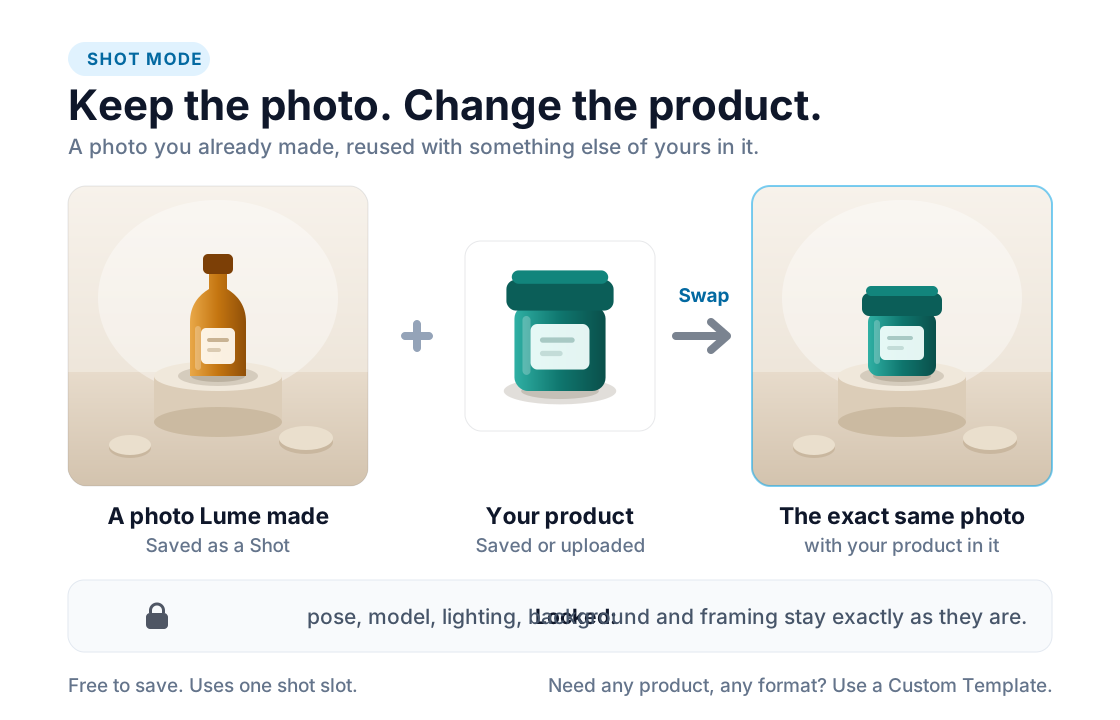
Shots - one photo, your whole range
Made a photo you love? Save it as a Shot, then drop a different product into it. The pose, model, lighting and background stay exactly as they are, so twenty products come back looking like one afternoon in the same studio instead of twenty separate shoots.
- Only the product changes - everything else is locked
- Put in products one at a time, or run a whole batch through one Shot
- Saving a Shot costs no credits, and deleting one frees its slot again
- Included on every paid plan - 10 slots on Pro, 30 on Business, 90 on Growth, 300 on Studio
Credit rollover
Unused credits roll over at renewal instead of vanishing. Carry-over windows grow with your plan - up to 4 months on Studio - and yearly plans get their full year of credits up front.
Prop styling
Dress the scene from a growing props catalog - pick colors and materials, or put your own text on a sign, card or label, rendered naturally into the shot.
Managed backdrops
A curated library of studio backdrop plates, maintained by our team. Drop one behind any product for an instant set change - no template hunting.
Smarter browsing
Filter the template library by model, color, season and surface - on top of style, mood, lighting and the other classic facets.
Template Shots
Every curated template's own render is a Shot you can put your product into, on every plan, before you save a single Shot of your own.
Zoom and Compare
Open any result at full pixels and press Compare to see it next to your own product photo before you download, so the colour, label and shape match the real thing.
Readable file names
Downloads and zips carry the product name, not a random id, and photos you bring in keep the name you gave them. No Lume name or watermark in your files.
Pause instead of cancel
Quiet season? Pause a paid plan for one to three months. Your credits wait for you and billing picks up by itself when the pause ends.
Lume, where you already work
The same engine runs inside the tools your team lives in - on your phone, in your designs, and next to your store.
Start free. Scale when it works.
3 free credits, no card required. Paid plans from $9/month when you're ready to shoot at volume.