
Refine Beta
Fix any product photo without a reshoot
Open any photo, generated or uploaded, and change one thing at a time. Every result is saved as a new version of the same photo, so the original is never lost.
Remove background, Crop and Adjust are free. Other edits cost 1 credit at 1K. Refine is in Beta on the web.
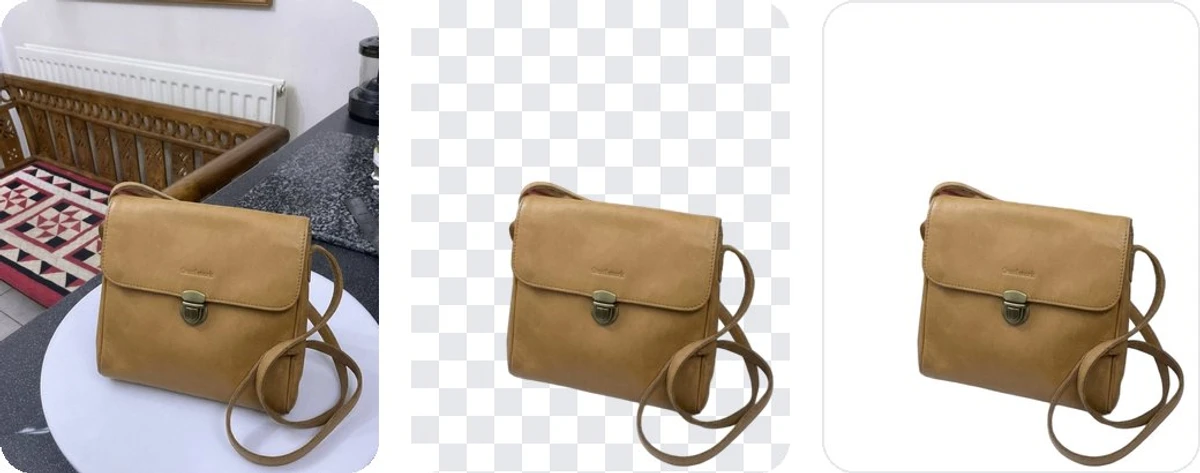
Original, transparent, white fill
Free on every plan
Remove the background
Keep it transparent, fill it with white for a marketplace main image, or pick any colour. It costs no credits: every plan has a daily allowance instead, and the allowance resets every day.
- Three fills - transparent PNG, white, or any colour you name
- Standard, Hair and fur, People - on every plan, picked for the kind of product
- HD and Max - HD from Business with a photo of at least 2048 px; Max on Studio
- Never enlarged - the cut-out comes back at the photo's own size
| Plan | Removals a day | Qualities |
|---|---|---|
| Free | 2 | Standard, Hair and fur, People |
| Pro | 10 | Standard, Hair and fur, People |
| Business | 20 | Standard, Hair and fur, People, HD |
| Growth | 40 | Standard, Hair and fur, People, HD |
| Studio | 75 | Standard, Hair and fur, People, HD, Max |
The allowance resets every day at midnight UTC, shown in your own time zone in the app.
One edit per Apply
Each tool does one job. Pick it, point at the area if the tool needs one, press Apply, and compare with the original before you keep it. Each of these costs 1 credit at 1K, 2 at 2K and 3 at 4K, like any generation.
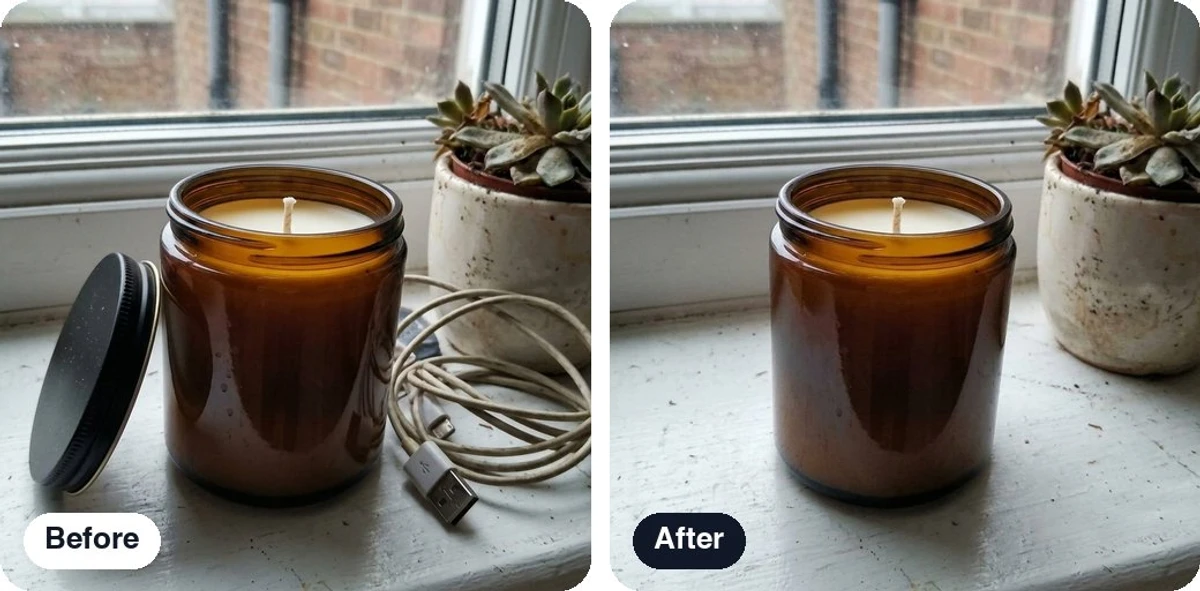
Before and after
Erase 1 credit at 1K
Erase what should not be there
Box or brush the lid, the cable, the price sticker or the stray prop and it is gone. Erase works without any words, and the scene behind the object is filled in to match.
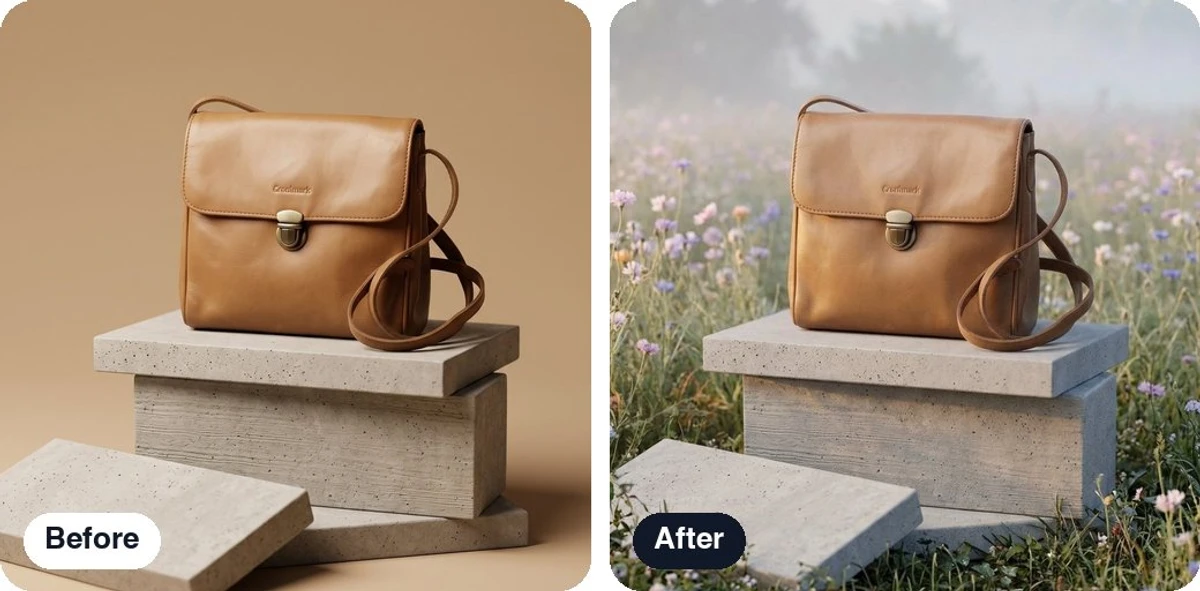
Before and after
New background 1 credit at 1K
Change the background, keep the product
Pick a backdrop from the library or describe one. The product keeps its shape, label and colour; only the scene around it changes. Good for a second look at the same shot without a second generation.
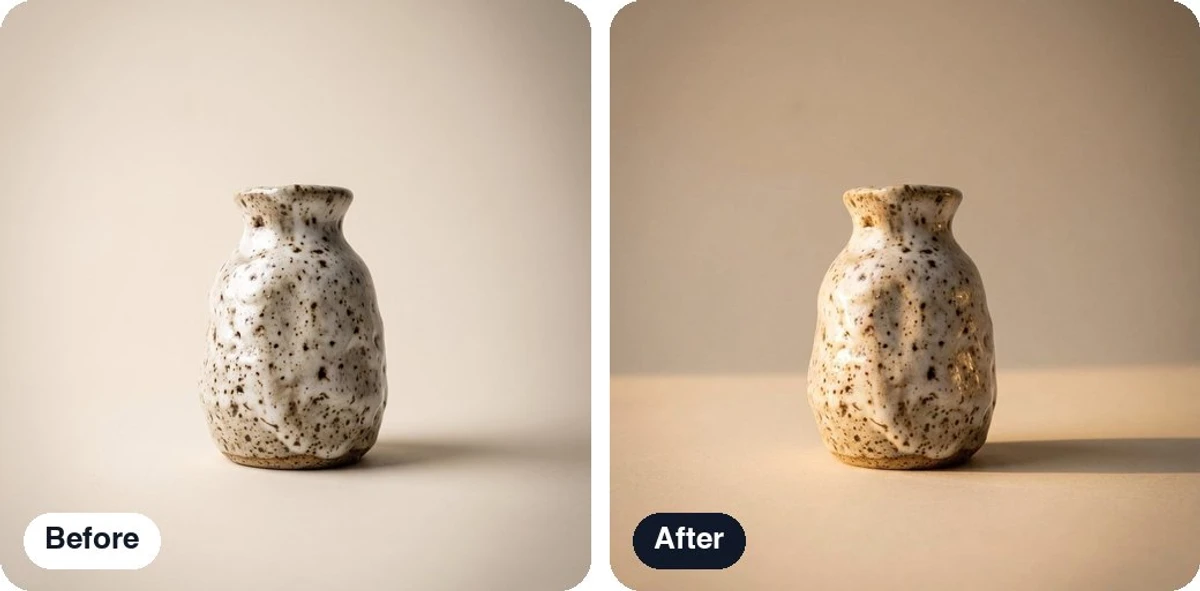
Before and after
Relight 1 credit at 1K
Relight the shot
Golden hour, soft studio, window light, a harder spotlight: choose the light and the whole scene follows it, shadows and reflections included.
Before and after
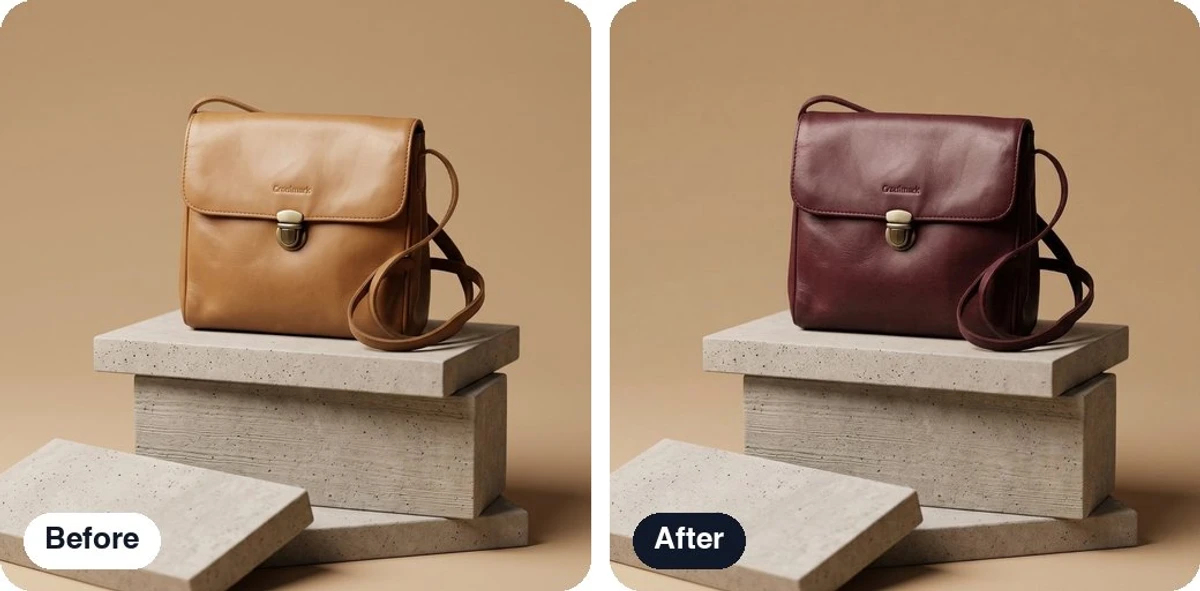
Recolor 1 credit at 1K
Recolor the product or the scene
A new colour, same shape, same label. Point at the product or at a part of the scene and name the colour you want.
Before and after
AI edit 1 credit at 1K
Say the change in your own words
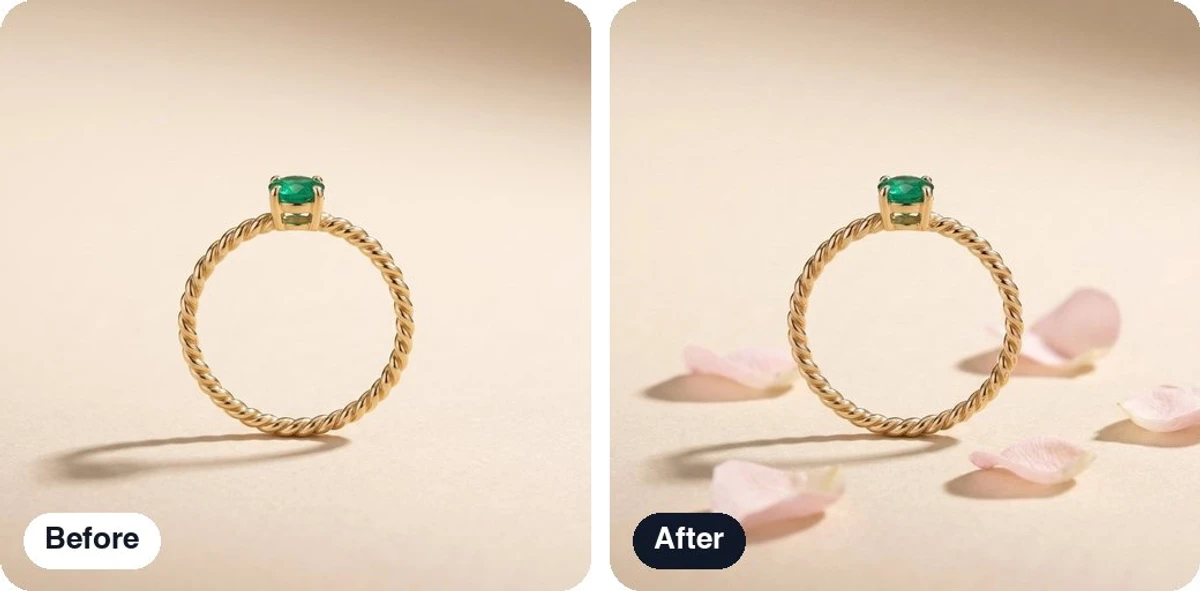
When the change is not one of the named tools, describe it: "add a linen napkin on the left", "make the glass look cold", "remove the reflection on the lid". Point at the area with a box or a brush, or let the edit cover the whole photo.
Move 1 credit at 1K
Shift the product to a better spot
Drag the product to where it should sit in the scene and Apply. The scene is re-rendered around the new position, with the shadows and reflections following it.
A new format: Expand or Crop
Two ways to change the frame of a finished photo. One is free and stays inside the picture; the other paints new scene beyond it.
Crop
FreeCut the photo down to a new shape inside the picture: 1:1 for a listing, 4:5 for a feed post, 9:16 for a story, or a free shape. Instant, no model call, no credits, saved as a new version.
Expand
Charged at the size it needsGrow the scene beyond the edges of the photo: a square shot becomes a 16:9 banner with the product at the same scale and new scene painted on both sides. Picking a format sets the output size that holds the photo at its own scale, and the edit is priced like a generation at that size, 1, 2 or 3 credits, on every plan.
Adjust
FreeWarmth, tint, exposure, contrast and saturation on sliders, like a phone's photo editor. No model call, instant, no credits, and the result is a new version so the untouched photo stays.
Upscale
Business and upRe-render a photo at 2K for 2 credits or 4K for 3 credits, for a print, a hero banner or a marketplace zoom. Available on Business, Growth and Studio. If you know you need 4K before you generate, pick 4K in the editor instead and skip the second step.
Upscale vs generating at 4K →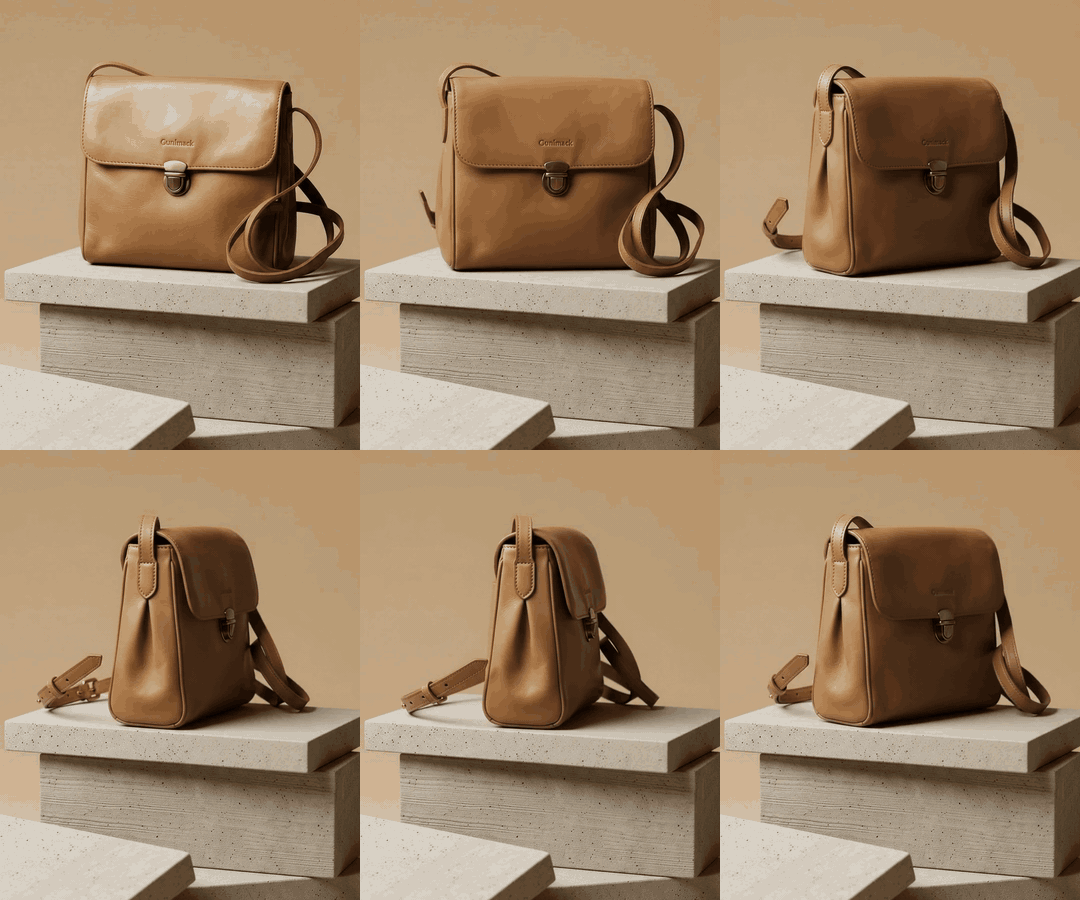
Animate
A product video from one photo
Pick a camera move and Lume turns a finished photo into a short clip of a few seconds, with sound, in 16:9 for your store page or 9:16 for Reels and TikTok.
| Size | From | Six-second clip |
|---|---|---|
| 720p | Pro | 13 credits |
| 1080p | Business | 19 credits |
| 4K | Growth | 38 credits |
Videos are not refundable. The clip downloads as an MP4.
How Animate works →Every version saved
Refine never overwrites a photo. Each edit becomes the next version of the same photo, in the same gallery card.
A version strip
Every edit in order under the photo, named for what it did: "v3 - Relit". Step back to any of them.
Hold to see the original
Press and hold on any version and the original shows underneath, so you can judge the change before you keep it.
Download the shown version, or all
Download saves the version you are looking at. "All versions" packs the whole family into one zip.
Readable file names
Every file is named after your product, so a folder of downloads still makes sense a month later.
What each tool costs
Three tools are free. The rest are priced like a generation, by output size.
| Tool | Price | Plans |
|---|---|---|
| Remove background | Free | Every plan, a daily allowance (2 to 75 a day) |
| Crop | Free | Every plan |
| Adjust | Free | Every plan |
| AI edit | 1 / 2 / 3 credits at 1K / 2K / 4K | Every plan, 2K from Pro, 4K from Business |
| Erase | 1 / 2 / 3 credits at 1K / 2K / 4K | Every plan, 2K from Pro, 4K from Business |
| New background | 1 / 2 / 3 credits at 1K / 2K / 4K | Every plan, 2K from Pro, 4K from Business |
| Relight | 1 / 2 / 3 credits at 1K / 2K / 4K | Every plan, 2K from Pro, 4K from Business |
| Recolor | 1 / 2 / 3 credits at 1K / 2K / 4K | Every plan, 2K from Pro, 4K from Business |
| Move | 1 / 2 / 3 credits at 1K / 2K / 4K | Every plan, 2K from Pro, 4K from Business |
| Expand | Charged at the size the expansion needs | Every plan |
| Upscale | The step up from the photo's size: 1 credit 1K to 2K, 2 credits 1K to 4K | 2K from Pro, 4K from Business |
| Animate | A six-second clip: 13 / 19 / 38 credits at 720p / 1080p / 4K | 720p from Pro, 1080p from Business, 4K from Growth |
Refine edits and videos are not refundable; credit protection covers image generation only. See all plans
Questions about Refine
What is Refine?
Refine is the editing side of Lume. Open any photo in your gallery, generated or uploaded, pick one tool, make one change and press Apply. The result is saved as a new version of the same photo, so the original is never lost. Refine is in Beta on the web.
Which Refine tools are free?
Remove background, Crop and Adjust cost no credits. Remove background has a daily allowance per plan instead: 2 removals a day on Free, 10 on Pro, 20 on Business, 40 on Growth and 75 on Studio, resetting every day. Crop and Adjust are instant and unlimited.
How much does an edit cost?
AI edit, Erase, New background, Relight, Recolor and Move are priced like a generation: 1 credit at 1K, 2 credits at 2K and 3 credits at 4K. Expand is charged at the size the expansion needs. Upscale costs the step up from the size of the photo: 1 credit from 1K to 2K, 2 credits from 1K to 4K. It is on Pro and up; 4K needs Business.
Is the background removal really free?
Yes. It never takes a credit. Every plan has a daily allowance of removals instead, and the allowance resets every day. Standard, Hair and fur and People quality are on every plan. HD needs Business or higher and a photo of at least 2048 px on its long side. Max is on Studio. The cut-out comes back at the photo's own size, never enlarged.
Can I get a credit back if an edit misses?
No. Credit protection covers image generation only. Refine edits and videos are not refundable, and once a photo has been edited it is no longer refundable either. Every edit is one change, priced from 1 credit, so a miss costs little; hold the photo to compare with the original before you decide what to keep.
Where do my edited versions go?
Into the same gallery card as the photo they came from. A version strip under the photo lists every edit in order, hold to see the original, and Download saves the version you are looking at. "All versions" downloads the whole family as one zip, every file named after your product.
Can I use Refine on my phone or in Canva?
Refine is on the web at lume.pics for now, in Beta. It is not in the iPhone or Android app and not in the Canva app yet. Photos you make on those are in the same gallery, so you can open them in Refine on the web.
Can I turn a photo into a video?
Yes, with Animate. Pick a camera move, choose 16:9 or 9:16 and the size, and Lume renders a short clip of a few seconds with sound. 720p is available from Pro, 1080p from Business and 4K from Growth. A six-second clip costs 13 credits at 720p, 19 at 1080p and 38 at 4K.
More questions? See the full FAQ or email support@lume.pics.
Fix the photo you already have
Start with 3 free credits and 2 free background removals a day, no credit card. Then put the product in one of 4,000+ studio scenes.
Last checked: 2026-11-10